
We will explain how to play Monster Hunter Outlanders with only friends. This page contains instructions on how to stop matching immediately after creating a party, and how to make the party private and invite friends.
Table of contents
- How to play only with friends
- What to do when you can't meet up with friends
- Multiplayer release conditions and specifications
How to play only with friends
- create party
- Cancel matching immediately
- Make public range private
- Invite your friends and go
If you want to play only with friends, create a party → cancel matching → change to private → invite friends. Matching will start when you press "Create Party", so start from the bottom right.
create party
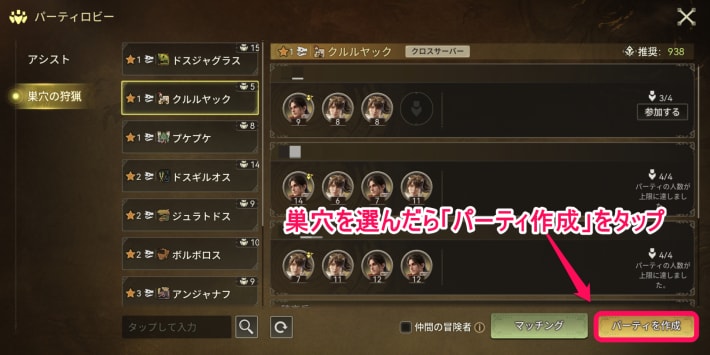
One representative opens "Party" in the menu, selects a den, and press "Create Party". Other players can also participate at this point, so move on to the next step as soon as you create it.
Cancel matching immediately
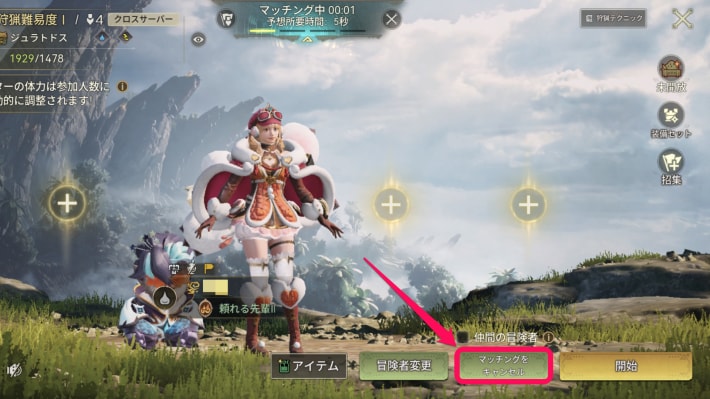
When the party screen opens, cancel matching from the button at the bottom right. Here we will perform the operation to stop recruitment. Next, let's change the public range of the party.
Make public range private
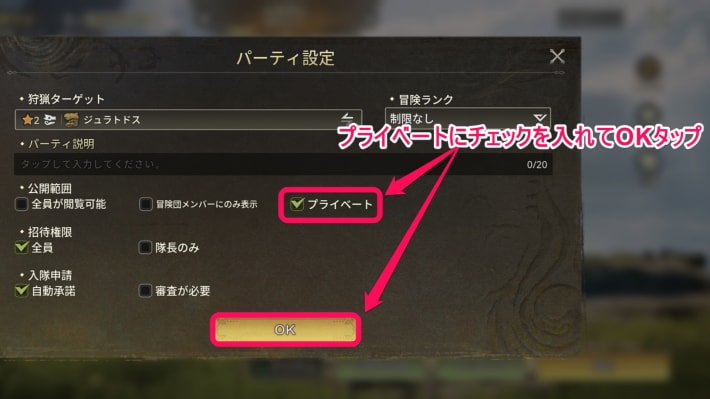
Open the settings on the top left of the party screen, change the public range to "Private" and press "OK". After changing the settings, check the party members before inviting them.
Invite your friends and go
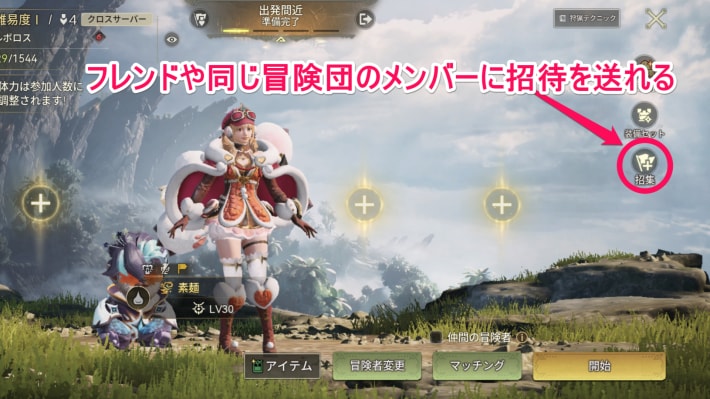
Select and invite friends to play with from the invite button on the right side of the party screen. Participants accept the invitation and press "Prepare" on the party screen. Make sure you have all the members you want to play with before heading out.
▶︎Click here for how to register as a friend and the benefits
Remake the room when Nora moves in.
If another player joins before you cancel, leave the party using the door mark at the top of the screen and start over. If you are matched many times immediately after creation, creating a room in a den with few people will make it difficult to match with other players.
Hunting destination can be changed later.
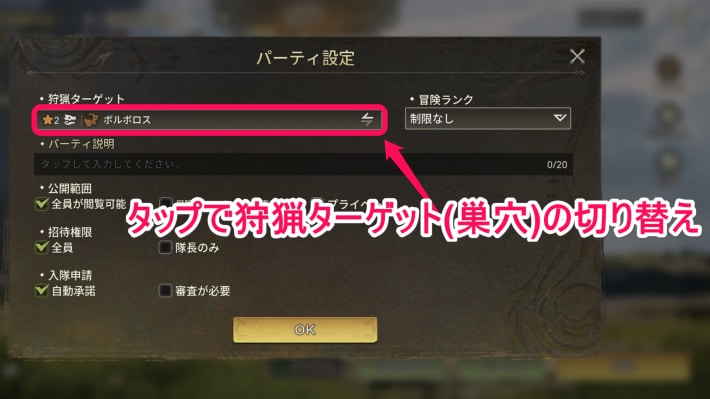
If you create a room in a different den, the leader can change the hunting target from party settings. Once you've met up with your friends, everyone can choose their original destination from the liberated dens.
What to do when you can't meet up with friends
Check from where it is stopped
| What I'm having trouble with | Check first |
| party not displayed | Progress through Chapter 1 to unlock multiplayer |
| I didn't receive an invitation | Check the notifications of the invitees and participants. If you do not receive the invitation, check whether you have rejected the invitation in "Features" in the settings. |
| There is no room in the party | Check if other players or "fellow adventurers" (NPCs) are in the frame. |
| Unable to select desired burrow | Make sure everyone has released their burrows |
| I can't leave even though I've met up. | Check if the participant has pressed “Prepare” |
Maximum party size is 4 people. If you don't receive an invitation, first check to make sure you sent it to the correct person. If a communication error is displayed, please also check the connection status on both sides.
Multiplayer release conditions and specifications
Unlock burrow hunting in chapter 1
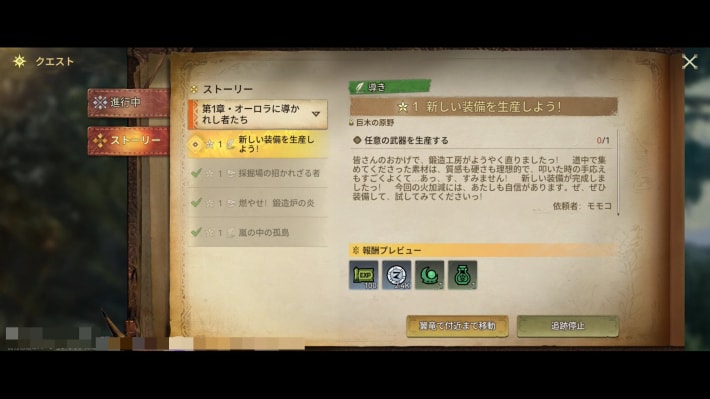
Multiplayer can be played after progressing through Chapter 1 of the story and hunting in the den is unlocked. If you don't see "Party" in the menu, start by progressing through the story.
▶︎Click here for story strategy chart
If you want to play with strays, use the matching function
| Party lobby operations | What you can do |
| create party | Build your own room and recruit members |
| join party | Join a recruiting room for your chosen hunt |
| matching | Automatically search for other players with selected hunting |
| assist matching | Participate in a hunt that is recruiting members |
Open the lobby from "Party" in the menu and select the button that suits your style of play.
It is also possible to replenish NPCs.
If you check "Replenish fellow adventurers", you can replenish the empty slots with NPCs. Use this when you want to play with the maximum number of people.
First, play burrow hunting.
We recommend starting with Burrow Hunting, which is the first to be released. Continuous research hunting, etc., can be attempted only after fulfilling the release conditions for each content.
▶︎Click here to learn how to hunt burrows
Multi players will be able to use powerful cooperative skills.
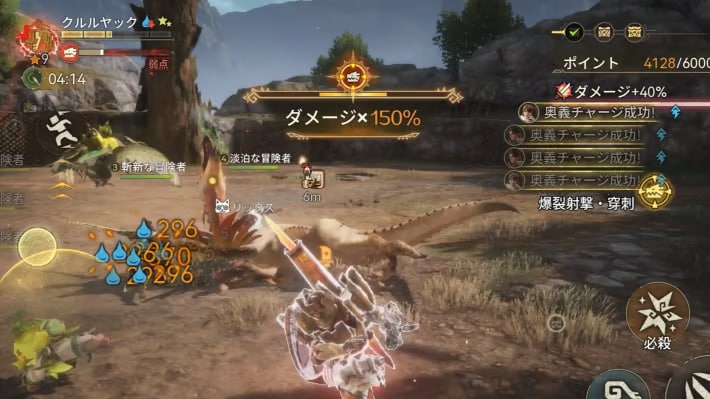
When forming a party with other players or "fellow adventurers" in multiplayer, you can use powerful cooperative skills after a certain period of time. This is a powerful technique that concentrates fire on a specific area and increases the damage multiplier if it knocks you down.
▶What is cooperative fighting? |Click here for instructions and tips
Physical strength changes depending on solo or multiplayer
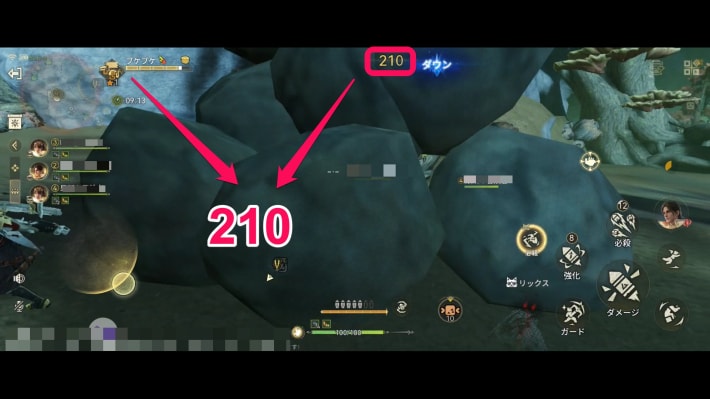
In Outlanders, there is a specification in which the health of monsters increases or decreases when you challenge them in multiplayer. Rockfall seems to be a percentage damage, and if you form a party, the damage will increase.
There seems to be little impact outside of multiplayer.
| Complete solo/multi solo | Solo play with NPC |
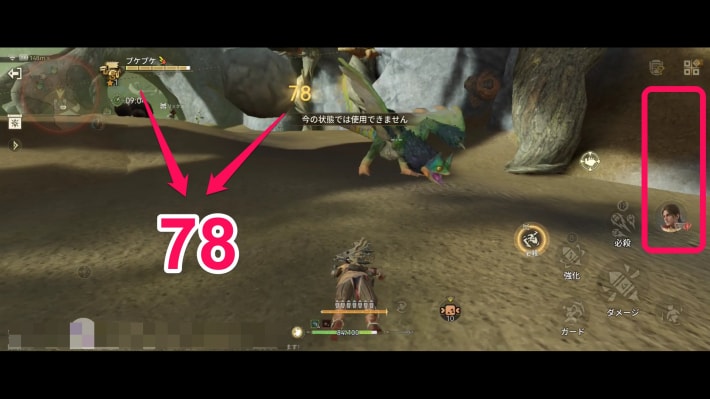 | 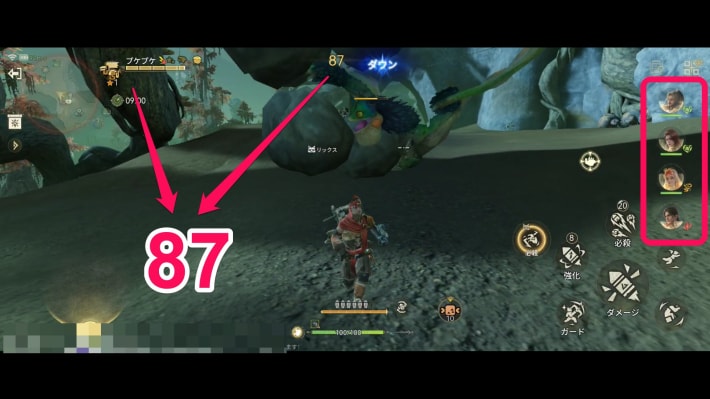 |
Compared to the damage caused by falling rocks when teaming up with other players in multiplayer, the damage is lower when forming a party for complete solo sorties and solo play. It seems that your physical strength will change significantly only when you team up with other players in multiplayer.
Movements specialized to assist allies are also possible.
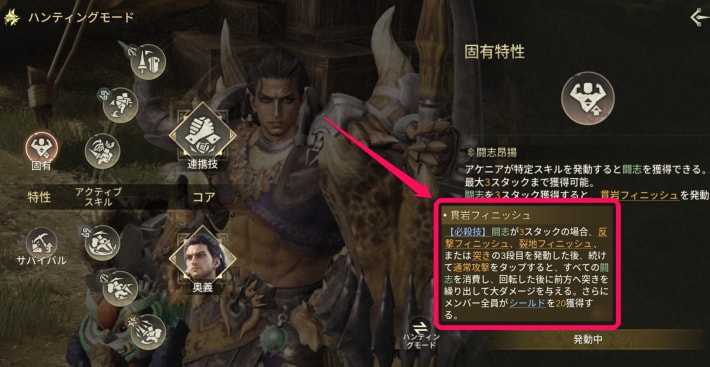
Unlike solo, other players provide high firepower. A unique way to play multiplayer is that you can use support characters that specialize in supporting allies to act as an auxiliary for your party.